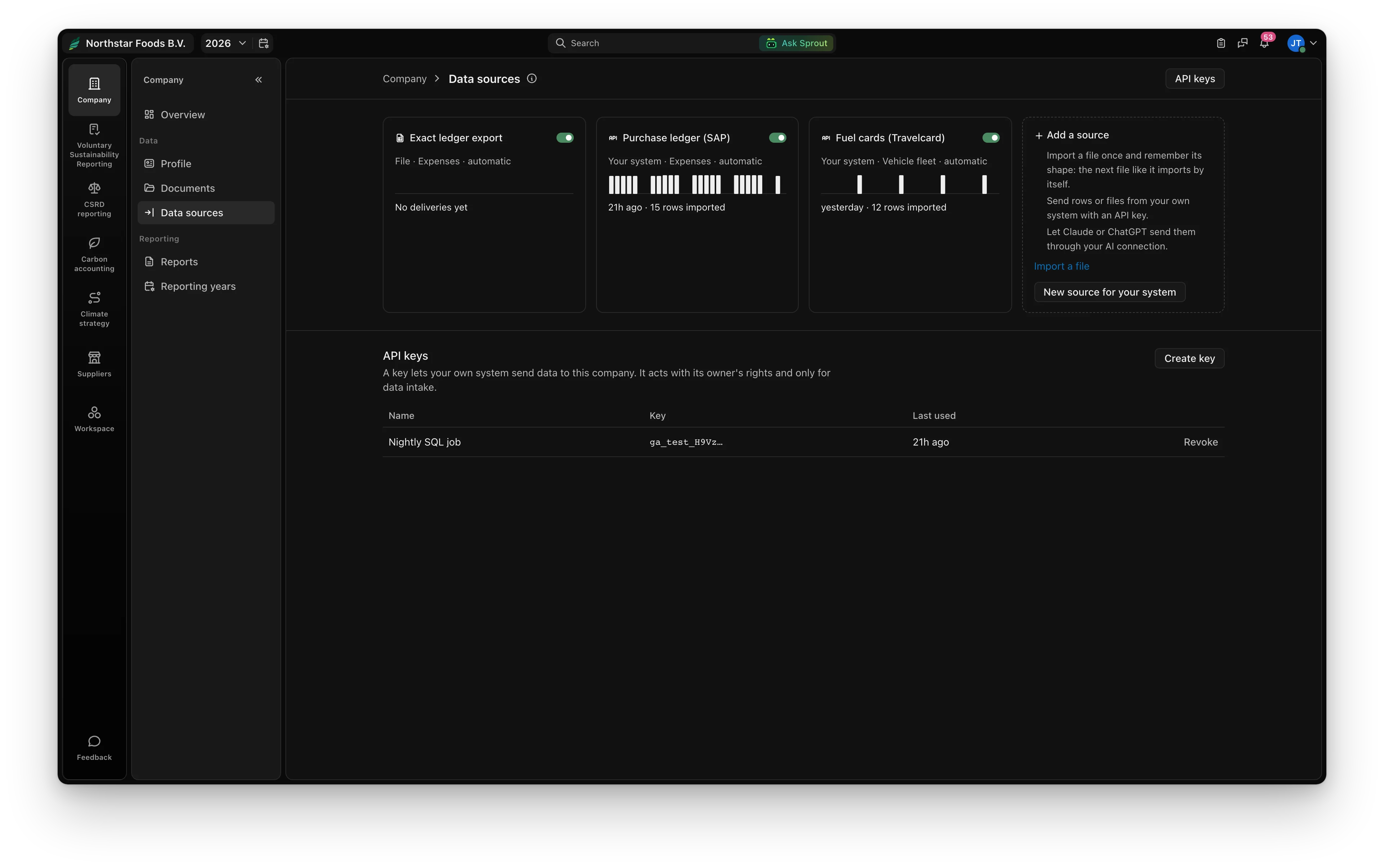
1. Open Data sources, under Company.
Every feed your figures arrive by, each with a month of deliveries. Add a source for your system, or import a file once and keep its shape.
A nightly job, a Power Automate flow or a script sends rows or files. Greener Ahead checks them, applies the categories you chose before and calculates.
curl -X POST "https://app.greenerahead.com/api/v1/esg/intake/sources/SOURCE_ID/deliveries" \
  -H "Authorization: Bearer $GA_KEY" \
  -H "Idempotency-Key: 2026-10-20" \
-F file=@purchases.csvEvery feed your figures arrive by, each with a month of deliveries. Add a source for your system, or import a file once and keep its shape.
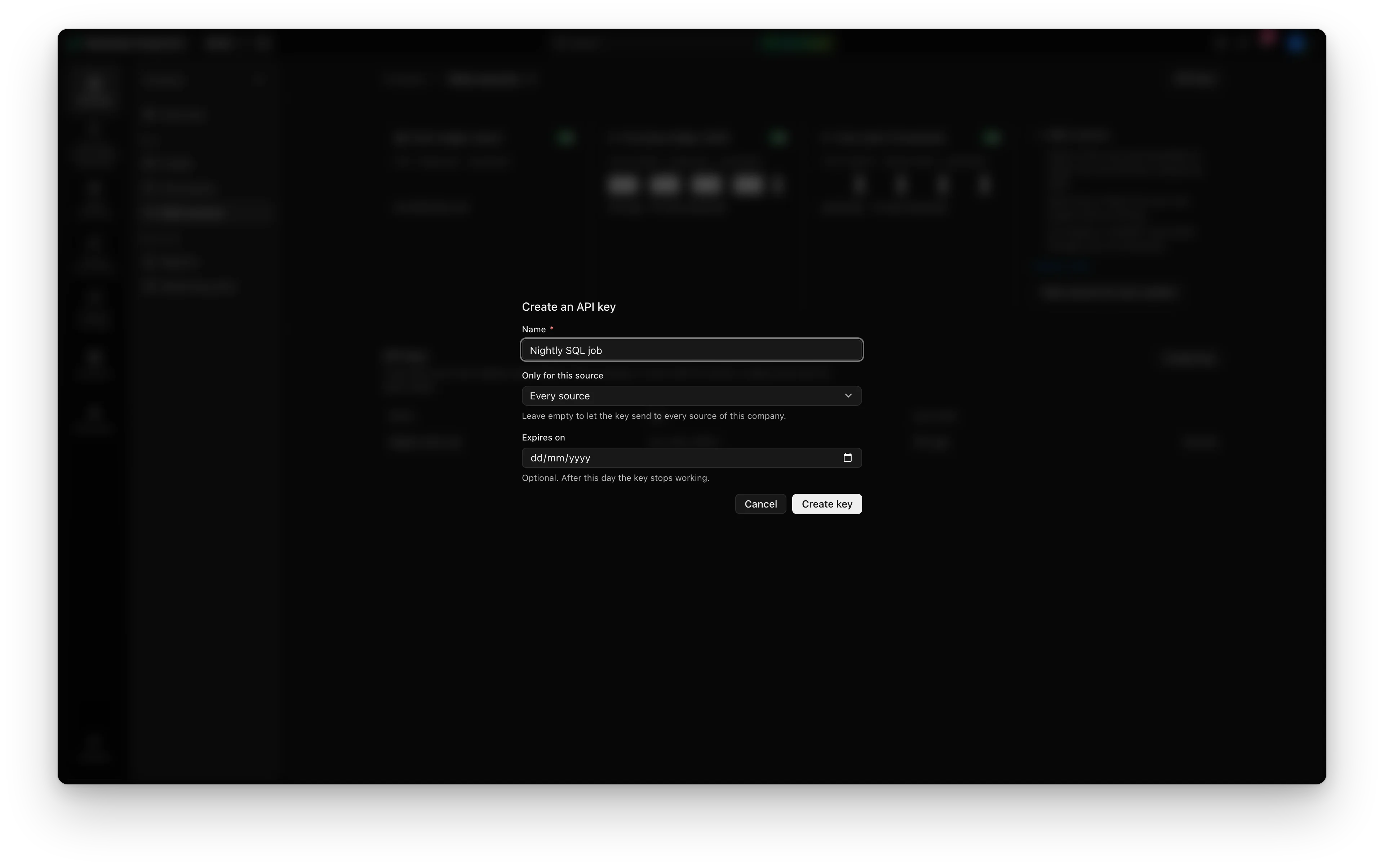
Name it after the job that uses it, limit it to one source if you like. It is shown once.
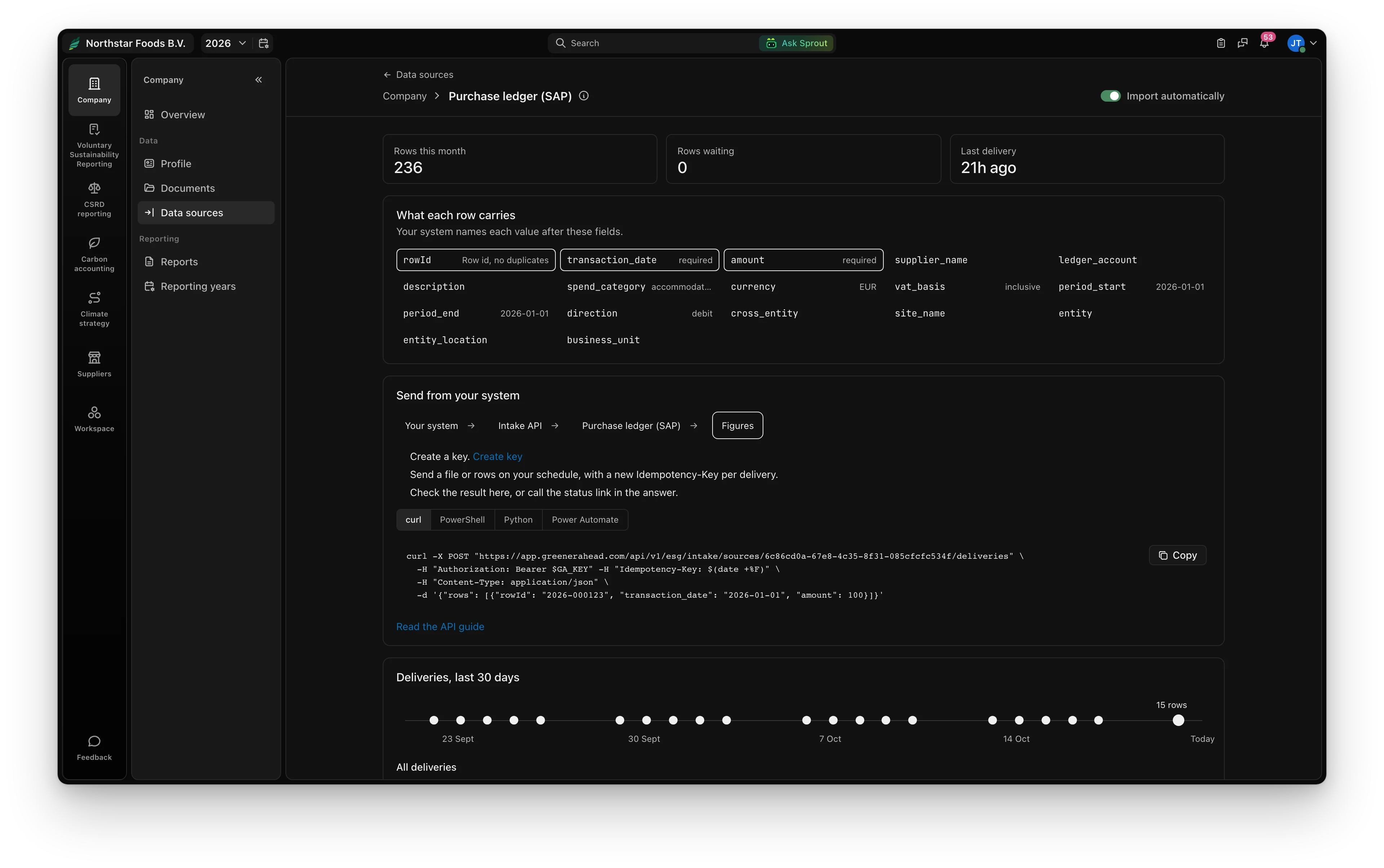
Each source shows where to send, with a ready request in curl, PowerShell, Python and Power Automate.
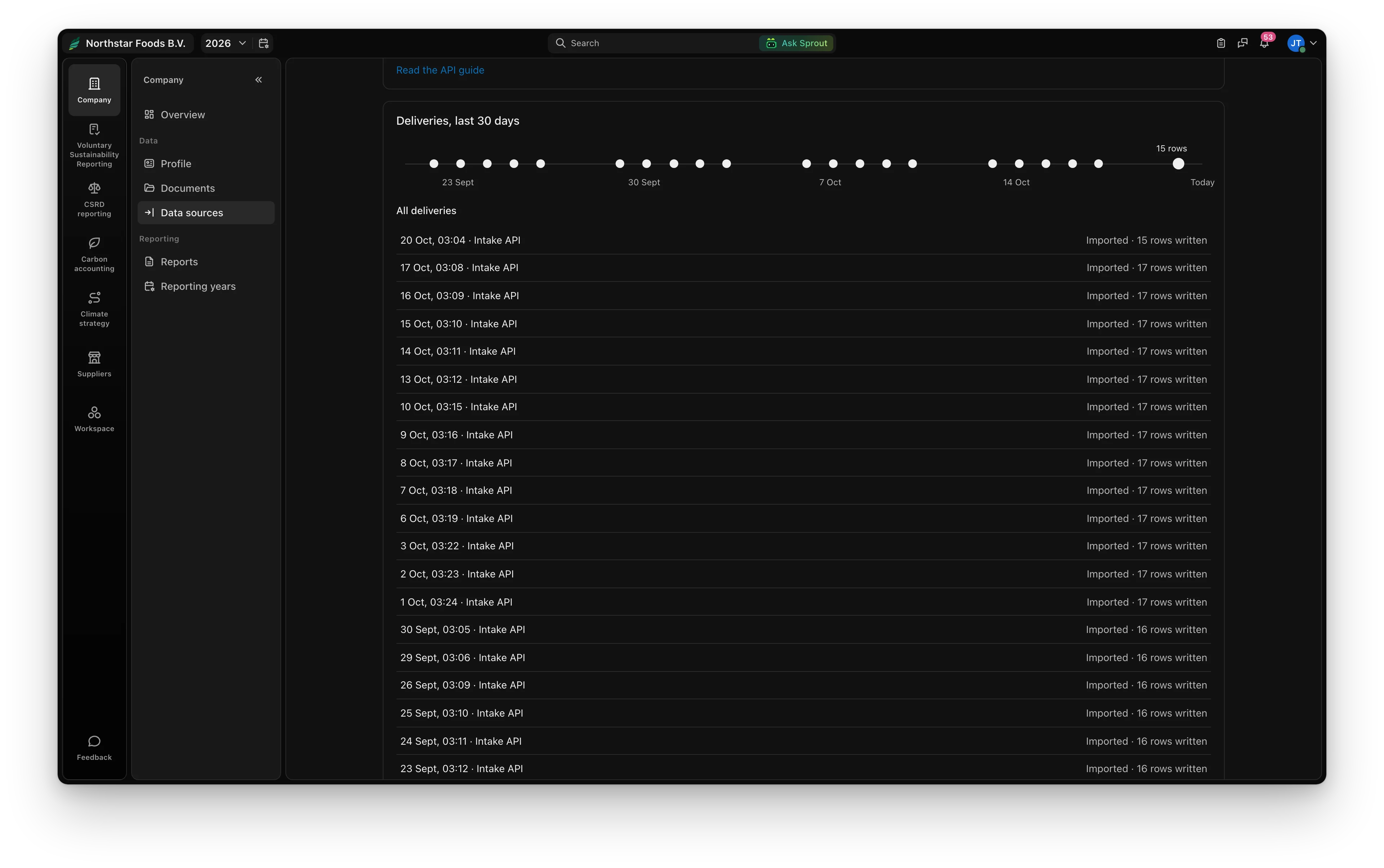
A row sent again is skipped, a changed row replaces the old one, and rows for an approved year wait until it is reopened. Any delivery can be undone.
GET https://app.greenerahead.com/api/v1/esg/intake/sources lists your sources; GET https://app.greenerahead.com/api/v1/esg/intake/templates every template's columns and types.Authorization: Bearer ga_live_..., never in a URL.POST https://app.greenerahead.com/api/v1/esg/intake/sources/{sourceId}/deliveries answers 202 with a deliveryId.
file, CSV or XLSX, up to 25 MB.{ "rows": [ ... ] }, up to 10,000. Give each a rowId: sent again it is skipped, changed it replaces the old one.entity means the company itself. A new Idempotency-Key per delivery; reused with another body it is refused (409).GET https://app.greenerahead.com/api/v1/esg/intake/deliveries/{deliveryId}
{
  "deliveryId": "6f1c2a9e-...",
  "state": "imported",
  "counts": { "received": 17, "written": 16, "unchanged": 0, "superseded": 1, "rejected": 0, "held": 0 },
  "imports": [{ "year": 2026, "moduleKey": "expenses", "written": 16 }]
}
A delivery waits for a person only when its columns changed, more than 5% of its rows were rejected, or rows belong to an approved, unstarted or signed-off year. Those are taken in when the year is opened again.
POST https://app.greenerahead.com/api/v1/esg/intake/documents with up to twenty files: bills, annual accounts, HR summaries. They land in Documents and are read into Carbon and your report as proposals to check.
60 requests a minute per key, ten deliveries processing at once. Errors are JSON with a code, such as source_paused or key_owner_lacks_access.
Claude or ChatGPT can send rows and files to a source through the Greener Ahead connector, with the same checks and Undo. Questions: support@greenerahead.com.