Use two templates: our free preparation workbook to organise the brief, scope, plan and evidence, and EFRAG’s official digital template for the final disclosures. Fill in the brief and scope first, collect evidence into the register, and only then move the figures into the official template or your report.
Two templates, two jobs
There are two kinds of VSME template, and most people need both. EFRAG, which wrote the standard, publishes an official digital template: the place where your final disclosures go, structured so they can be converted into a digital report. It tells you what to report, not how to find the numbers.
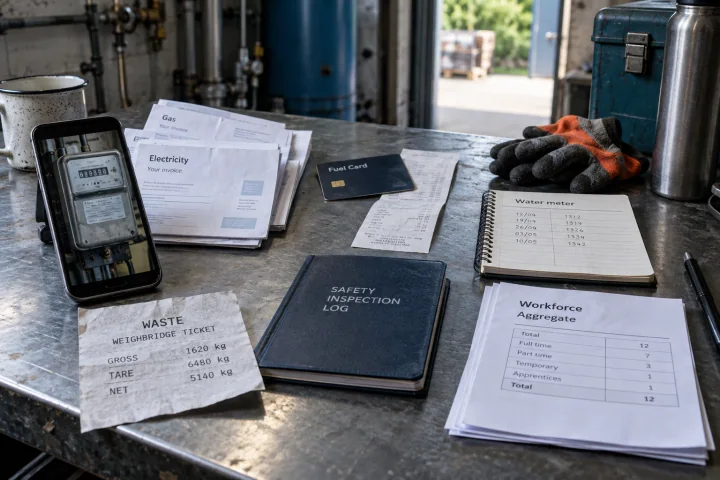
The preparation work comes before that: agreeing who the report is for, choosing the scope, asking colleagues for records and keeping track of where every figure came from. That is what our free workbook is for. It is available in seven languages, needs no sign-up, and you can download it from this page.
What is in the free workbook
The workbook has eight sheets. Each one has amber cells to fill in and a short instruction at the top.
- Start here: how to use the workbook and which version of the standard it refers to.
- Reporting brief: the recipient, purpose, period, entities and output.
- Scope decision: which module and disclosures you will prepare, and why.
- Preparation plan: tasks, owners and due dates from brief to approval.
- Evidence register: every figure with its site, period, unit, source and owner.
- Customer response: a customer’s questions mapped to your report.
- Workflow comparison: a test of spreadsheet against software on a real task.
- Electricity example: a worked, fictional reconciliation of two sites’ bills.
Fill it in this order
Start with the reporting brief and the scope decision, because they decide what you collect. Then make the preparation plan so every record has an owner and a date. Fill the evidence register as records come in, one line per figure, and keep measured zero, not applicable, estimated and missing apart. Only when the register is complete do you move the figures into the EFRAG digital template or your report.
Keep the workbook after you report. Next year the brief, plan and evidence owners are a starting point, even though every figure needs fresh evidence.
When a spreadsheet stops working
A workbook is a good start when one person owns the information. It gets harder with several sites, several colleagues supplying records, customers asking in different formats, and a second year to compare. In Greener Ahead the same steps happen in one place: scope, requests to colleagues, evidence beside each answer, a designed report and a link to share it. The VSME report costs €995 per year with unlimited users, and you can try it free for 14 days without a card. Check the pricing page for current details.
Sheet by sheet
Each sheet has a clear point at which it is done. Use that to see where your preparation stands.
| Sheet | You fill in | Done when |
|---|---|---|
| Reporting brief | Recipient, purpose, period, entities, output | The report owner has approved it |
| Scope decision | Module, disclosures and the reasons | Every requested topic has a decision |
| Preparation plan | Tasks, owners, due dates and state | Every task has one owner and a real date |
| Evidence register | Value, unit, period, source and owner per figure | No open gaps without an owner |
| Customer response | The customer’s questions and your answers | Every question is answered or explained |
Filling in the evidence register well
The register is where most of the work happens and where a reviewer will look first.
- One line per figure, per site and per period; do not combine sites in a single cell.
- Write the unit beside every value, and convert units in a separate column.
- Give every source an ID and keep the file under that ID.
- Mark estimates and write down the method in a sentence.
- Leave missing values visibly missing; never enter zero for unknown.
Moving to the EFRAG digital template
EFRAG’s digital template has its own instructions, explanatory notes and an example. Read them before entering anything, keep an untouched copy of the original, and copy your figures across disclosure by disclosure. Keep the evidence IDs from your register in your own records, so every reported figure can still be traced after it leaves the workbook.
Sources and scope
- EFRAG: digital template, example and explanatory notes
- European Commission: 2025 VSME recommendation and standard
These resources explain a preparation workflow. Check your selected standard and recipient requirements before sharing your report.
 Joost ThissenFounder